In today’s world, people expect instant replies. Waiting for email responses or support tickets is quickly becoming outdated. That’s where chatbots come in.
Over the past few months, I’ve explored several chatbot platforms, but one tool that really caught my attention is Landbot. What makes it interesting is that it lets anyone create conversational experiences without writing a single line of code.
From lead generation to customer support automation, Landbot is designed to turn simple website forms into engaging conversations. After using it myself, I realized why many marketers and businesses rely on it.
What is Landbot?
Landbot is a no-code chatbot builder that allows you to design interactive conversations for websites, WhatsApp, and messaging channels.
Instead of traditional static forms, Landbot replaces them with conversational interfaces that guide users step by step.
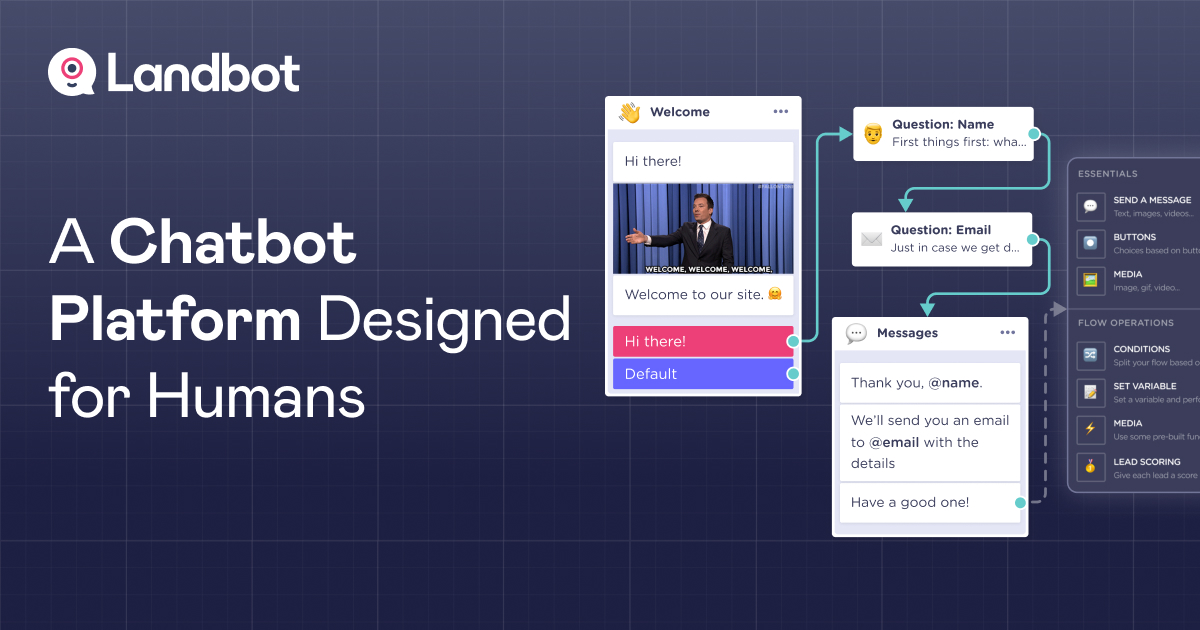
The platform works using a visual drag-and-drop builder, where you connect conversation blocks together to create automated flows.
For someone who isn’t a developer, this makes chatbot creation surprisingly simple.
Why I Decided to Try Landbot
When I first started looking for chatbot tools, my main goal was simple:
- Capture more leads
- Automate responses
- Make user interactions more engaging
Traditional forms often feel boring and cold. Users see a long form and leave the page.
Landbot solves this by turning the process into a chat-style experience. Visitors answer one question at a time, just like they would in a messaging app.
From my perspective, that small change makes a big difference in engagement.
Features That Stood Out to Me
1. No-Code Chatbot Builder
The builder works visually. You simply connect conversation blocks like:
- Questions
- Conditional logic
- Buttons
- Messages
- API integrations
Even complex workflows can be built without coding.
2. Conversational Landing Pages
One feature I personally find impressive is conversational landing pages.
Instead of sending traffic to a standard page with forms, you can send users to a chatbot interface that collects information naturally.
This approach often leads to higher conversion rates because it feels interactive rather than transactional.
3. WhatsApp Automation
Another powerful feature is WhatsApp chatbot integration.
Since WhatsApp is widely used globally, especially in countries like India, businesses can automate:
- customer inquiries
- appointment bookings
- lead qualification
- support responses
This makes communication faster and more scalable.
4. Integrations with Other Tools
Landbot integrates with many popular tools such as:
- Google Sheets
- Zapier
- Slack
- CRM platforms
- marketing automation tools
This allows chatbot conversations to automatically update databases or trigger workflows.
5. Analytics and Performance Tracking
Landbot also provides analytics that help track:
- conversation completion rate
- drop-off points
- user engagement
This data makes it easier to improve chatbot performance over time.
My Thoughts on Landbot
After exploring Landbot, I think its biggest strength is simplicity combined with flexibility.
You don’t need technical skills to build a chatbot, yet the platform still offers enough customization for advanced workflows.
However, like most SaaS tools, the more advanced features are available in higher plans.
Still, if your goal is to create conversational experiences that convert visitors into leads, Landbot is definitely worth considering.