Ever joined a meeting where you’re trying to listen, think, speak, and take notes at the same time—and end up doing none of them well?
You’re not alone.
Meetings today don’t just steal time; they steal clarity. That’s where Fireflies.ai comes in. After using and deeply analyzing this AI meeting assistant, here’s a real, no-fluff review to help you decide if it truly deserves a spot in your workflow.
What Is Fireflies.ai?
Fireflies.ai is an AI-powered meeting assistant that automatically records, transcribes, and summarizes meetings across platforms like Zoom, Google Meet, and Microsoft Teams.
But calling it a “recorder” is underselling it.
Fireflies transforms spoken conversations into:
- Searchable meeting transcripts
- Structured summaries
- Clear action items
- Long-term team knowledge
The “Killer Features” You’ll Actually Use
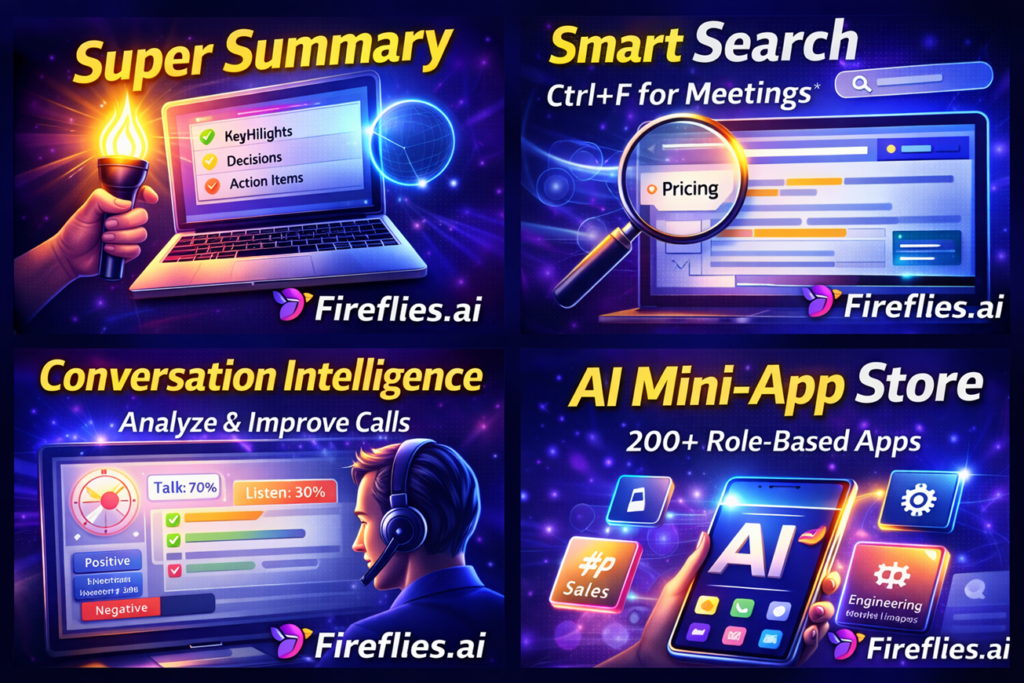
1. The “Super Summary”
This is the feature that saves your Friday afternoons. Instead of reading a 10-page transcript, Fireflies gives you a structured recap. You get:
- The Big Picture: A quick paragraph of what happened.
- Action Items: A clear list of who promised to do what.
- Meeting Markers: Key moments like “pricing discussed” or “objections raised.”
2. Smart Search (A “Google” for your conversations)
Ever remember someone saying something about a “deadline,” but you can’t remember which meeting it was in? You can search your entire meeting history for keywords, dates, or even specific speakers. It’s like having Ctrl+F for your life.
3. Conversation Intelligence
This is a goldmine for sales teams and managers. Fireflies tells you:
- Talk vs. Listen Ratio: Are you talking at people too much?
- Sentiment Analysis: Was the vibe of the meeting positive or frustrated?
- Topic Tracking: How often did “budget” come up compared to “features”?
The Real-World Experience: The Good and the “Meh”
- Onboarding is a breeze. It links to your calendar, and then you basically never have to think about it again.
- It’s surprisingly accurate. In clean audio, it hits about 95% accuracy. Even better? You can teach it “custom vocabulary” (like your weird company acronyms or product names) so it stops misspelling them.
- The Workflow. It doesn’t just sit in a silo. You can have your meeting notes automatically pushed to Slack, Notion, or your CRM (Salesforce/HubSpot).
Changes that you should Make⚠️
There is one “annoyance” factor you need to know about: The default settings. By default, Fireflies tries to join every meeting and email the notes to everyone. If you’re not careful, it can feel a little spammy.
Spend 5 minutes in the settings on day one. Set it to “Only join meetings I host” and “Only send notes to me.” Your coworkers will thank you.
Should You Hit ‘Install’?
If your day is a back-to-back marathon of meetings, yes. At roughly $10/month, Fireflies pays for itself the first time you skip an hour of manual note-taking. It’s a tool for people who want to be present in the conversation rather than being a stenographer.
The Bottom Line: If you want deep insights and a “searchable brain,” go with Fireflies. If you just want a silent recorder without the bells and whistles, look at Bluedot.
❓ Frequently Asked Questions
Q1. Is Fireflies.ai safe to use?
Yes, Fireflies.ai uses encrypted storage and follows industry security standards, but users should configure privacy settings carefully.
Q2. Does Fireflies.ai work with Zoom and Google Meet?
Yes, Fireflies integrates with Zoom, Google Meet, Microsoft Teams, and more.
Q3. Is Fireflies.ai free?
Fireflies offers a free plan with limitations. The Pro plan starts at around $10/month.
Q4. Who should use Fireflies.ai?
Fireflies is ideal for professionals, sales teams, managers, recruiters, and remote teams.